Microsoft Copilot training for employees
Clustr delivers Microsoft 365 Copilot training for employees: live in-person and hybrid workshops built on your real documents, change management that moves usage numbers, and literacy baselined and measured through SINA, our AI literacy platform. Licenses are on every desk. We make them a daily habit.
Training, measurement, and engineering under one roof
Live workshops and trainings
We have taught Microsoft Copilot across sales, finance, and operations teams and continue to lead workshops, regional sessions, and working office hours built on your real documents and processes.
Literacy measured with SINA
Every engagement starts with a SINA baseline so you know where each role stands, and ends with measured progress. License utilization reports tell you who logged in. SINA tells you who can actually work differently.
Engineering depth
Our engineers have worked with Microsoft's APIs and the surrounding ecosystem, from Copilot extensibility to workflow automation across the Microsoft 365 stack.
Copilot doing the prep work your team dreads
This is the kind of workflow we teach in session: Copilot working inside the files your team already lives in, turning a workbook into a reviewed summary with the slide drafted. Small habits like this, repeated across a department, are what move usage numbers.
Summarize Q3 variance by region for the ops review
West led on two enterprise renewals. Central slipped on delayed starts, recovery expected in Q4. Draft slide and speaker notes added to the review deck.
Shown here: a variance review workflow taught in a finance session
What does Microsoft Copilot training cover?
Copilot's advantage is that it lives inside the tools your teams open every day. That is also why adoption depends on role-specific habits, not feature tours.
Microsoft 365 Copilot
Word, Excel, Outlook, PowerPoint, and Teams. We train each role on the workflows that matter in their daily tools, from meeting recaps to first-draft documents and analysis.





Copilot Chat
The front door for research, drafting, and grounded answers over your organization's content. We teach the prompting habits and grounding practices that make it trustworthy.
Copilot Studio and agents
Custom copilots and agents built on your processes. We help teams identify the right first agents and build them with your people so the capability stays in-house.
Adoption and change management
Champions programs, communication plans, and manager enablement that move usage numbers. Deployment is a project. Adoption is a program.
Adoption you can see on a chart
Every engagement is baselined with SINA, our AI literacy platform, and re-measured as the program runs. Leadership sees fluency by role, usage over time, and where to invest next.
AI adoption · pilot to daily use · 90-day program
Baselined with SINA, re-measured at week 12. Adoption is the deliverable.
In person when it counts, hybrid by design
In-person first
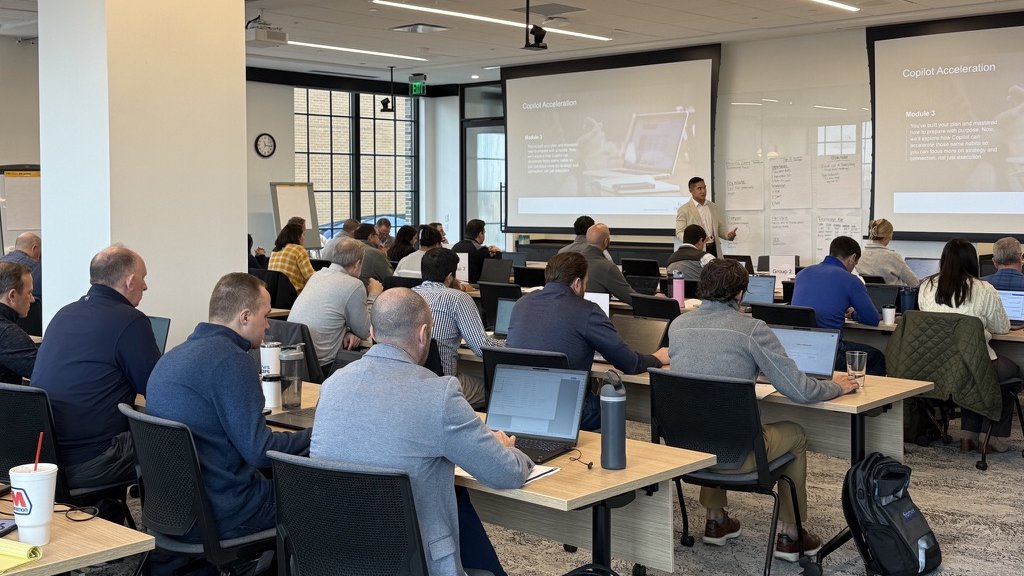
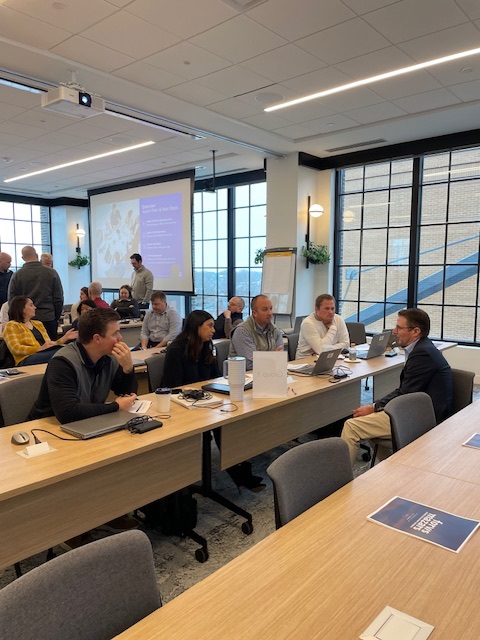
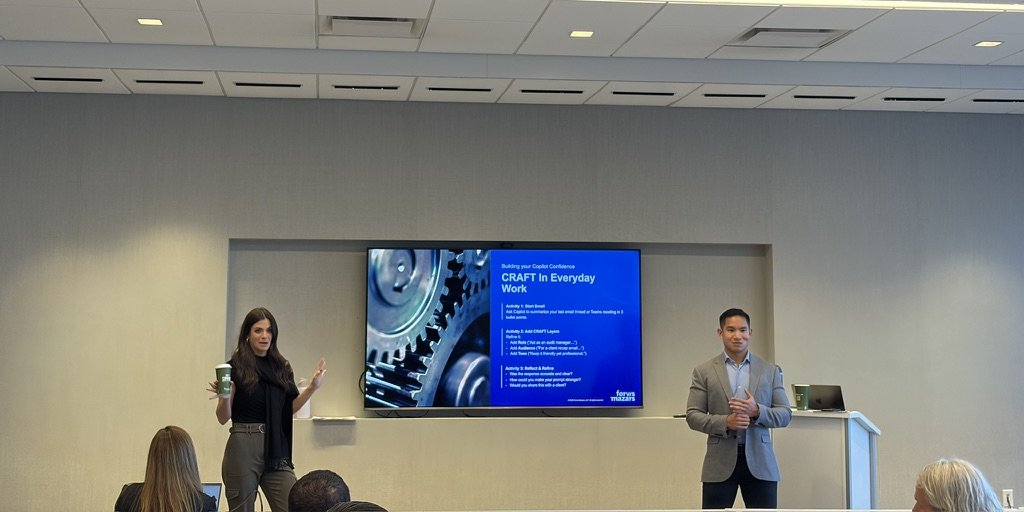
Kickoffs and flagship sessions happen in the room whenever we can get there. Energy, attention, and trust move faster in person, and the photos on this page are what that looks like.
Hybrid by design
Most programs run hybrid: an in-person kickoff, virtual working sessions in between, and small cohort batches so everyone gets the attention they need and deserve.
Virtual that holds attention
Weekly office hours and build sessions that stay hands-on, on your real work, in groups small enough that nobody hides behind a muted mic.
In the room
Copilot, taught in the room.
Real sessions from real engagements. This is the part of enablement a slide deck cannot do.
Copilot adoption at a 40,000-person firm
At Forvis Mazars, a global professional services and accounting firm, our regional, CPE-accredited enablement workshops drove adoption of Microsoft Copilot: 300+ professionals trained, standardized account planning implemented firm-wide, and an operating model refreshed to embed guidance on when and how to use AI effectively.
We partner with global Microsoft system integrators and partners, focusing on adoption, change management, and higher Copilot usage across their client bases.
Copilot skilling, beyond the Skilling Center
Microsoft's Copilot Skilling Center and skilling events are a genuinely useful starting point, and we point clients to them. What self-serve resources cannot do is instructor-led Copilot skilling on your firm's own documents, roles, and governance. That is where we come in: live cohorts inside Word, Excel, Outlook, and Teams, champions who carry skills peer to peer, and capability measured with SINA rather than assumed from attendance.
Our AI upskilling program →Copilot adoption services that move usage numbers
Deployment is a project; adoption is a program. Our Copilot adoption services cover the full arc: a SINA baseline, role-based training, a champions program, manager enablement, and re-measurement, alongside the change management that makes usage stick. We partner with global Microsoft system integrators on exactly this work across their client bases.
AI adoption consulting →Microsoft Copilot training, answered directly
Updated August 2026
What does Microsoft Copilot training for employees include?
Live instructor-led workshops on Microsoft 365 Copilot inside Word, Excel, Outlook, PowerPoint, and Teams, role-specific workflows built on your real documents, champions programs, and change management. Every engagement starts with a SINA literacy baseline and ends with re-measured progress, so leadership sees usage move, not just seats deployed.
Why do Copilot rollouts fail without training?
Because deployment is a project and adoption is a program. Most firms switch licenses on, send a feature tour, and watch usage stall within a quarter. Copilot sticks when each role learns the handful of workflows that matter in their daily tools and managers keep reinforcing them. That program is what we run.
How is this different from Microsoft Learn or free skilling content?
Self-paced libraries teach features. We drive adoption: live sessions on your own documents and processes, workflows designed for each role, champions inside your teams, and literacy measured before and after with SINA. We also partner with global Microsoft system integrators focused on raising Copilot usage across their client bases.
How long does a Copilot training program take?
Formats range from a single kickoff workshop to multi-week cohort programs. A typical engagement starts with a SINA baseline, runs role-based cohorts in small batches with working office hours between sessions, and re-measures literacy as the program runs.
Is Microsoft Copilot training in person or virtual?
Both. Kickoffs and flagship sessions happen in the room whenever we can get there, most programs run hybrid by design, and virtual sessions stay small and hands-on so nobody hides behind a muted mic.
How much does Microsoft Copilot training cost?
Programs are scoped to team size, format, and depth, from a single workshop to firm-wide enablement, and priced against the Copilot license investment you have already made. The fastest way to a number is a short briefing where we map your teams and recommend a scope.
Should we train our teams on Copilot or ChatGPT?
We are tool-agnostic and train teams on Microsoft Copilot, OpenAI ChatGPT, Anthropic Claude, and Google Gemini. If your firm lives in Microsoft 365, Copilot is usually the shortest path to daily AI use, and many clients pair it with a deeper platform for specific teams. We map your stack and advise honestly.
 Anthropic Claude
We use cookies
We use cookies and Google Analytics to understand how visitors use our site. Privacy Policy